Frequent travel can make your sleep tracker look broken: your schedule is fragmented, your bedtime shifts across time zones, and the numbers stop matching how you actually feel. That’s a problem when you’re trying to perform on a schedule that punishes fatigue. One rough red-eye or a few nights of inconsistent data can leave you guessing instead of adjusting.
If you travel often and need better sleep data without extra hassle, the best choice depends on your priorities: apps are cheaper, lighter, and easier to start, while wearables usually track sleep more consistently and handle routine changes better. The right option for high-performers is the one that balances accuracy, jet lag support, privacy, and total cost.
App or Wearable: Which Sleep Tracker Fits Your Travel Life?
If you want the short answer, choose a tracker app if you travel only a few times a year and mainly want simple awareness. Choose a wearable if you fly often, care about sleep stages, heart rate variability, and next-day recovery, and do not want to place your phone the same way every night.
The real decision is not about which tool sounds more advanced. It is about which one keeps working when your bedtime shifts, your room changes, and your schedule gets messy after a red-eye.
For frequent travelers, consistency beats feature count. A simpler tool you will use in every hotel often gives more useful insight than a richer tool you leave in your bag.
My view is direct: if your travel pattern is light, start with an app; if your travel pattern is heavy, the wearable usually wins. I have seen people spend months comparing dashboards when the real problem was not data quality, but whether the tool fit a 6 a.m. airport wake-up and a late-night check-in.
The best choice depends on how you travel and what you want to change. Executives usually need low friction and privacy. Athletes usually need recovery data. Digital nomads often need portability and price balance. Consultants need consistency across many short trips.
If you travel often and care about performance, the wearable usually wins. If you travel less and want a light tool, the app is enough.
For frequent travelers, the right tool is the one that fits the messiest night, not the easiest night.
What matters more than accuracy?
Accuracy matters, but travel is where consistency of use matters even more. A device that is 10% better in a lab but 40% less likely to be used in a hotel room loses in practice.
Think of it like a luggage scale. A perfect scale at home is useless if it stays at home.
Which choice fits an executive?
Executives should usually pick a wearable if privacy terms are acceptable and they want one device that works across meetings, flights, and hotels. An app is fine only if they want broad awareness and no extra hardware.
Pick the wearable if you need steady data and can wear it every night. Pick the app if your priority is simple visibility with low setup.
Which choice fits an athlete?
Athletes usually get more from a wearable because recovery data matters after a red-eye or a short hotel night. HRV, sleep duration, and wake patterns are more useful when training choices depend on them.
Choose the wearable if you already use recovery data to guide training. Avoid the app if you need stronger signal quality and more reliable overnight trends.
Quick comparison for frequent travelers
The table below gives the decision in one view. It compares the real costs, travel fit, privacy risk, and the kind of data each option can handle.
| Option |
Upfront cost |
Ongoing cost |
Travel fit |
Privacy exposure |
Best for |
| Sleep app |
$0 to about $10/month for premium |
Often $0 to $60/year, sometimes more with premium tiers |
Strong for easy setup, weak if phone placement changes |
Medium to high, depending on cloud storage and ad model |
Light travelers, budget buyers, quick starters |
| Wearable |
About $200 to $400 for many popular models |
$0 to about $15/month, plus bands or replacement parts |
Strong for routine-free tracking across hotels and flights |
Medium, but often more data is collected and synced |
Frequent travelers, athletes, executives, consultants |
| No tracker |
$0 |
$0 |
Best for zero friction |
Lowest digital exposure |
People who only want habits, not data |
If you travel less than once a month, the app is usually enough. If you cross time zones often and care about recovery, a wearable is more likely to earn its keep.
Which option costs less over a year?
Over one year, a free or low-cost app can stay under $60 if you avoid premium add-ons. Many wearables land closer to $200 to $400 upfront, then $0 to $180 more per year if a subscription is involved.
That said, the real cost is not only money. It is also the cost of using a tool badly because it is annoying.
Which one is easier to keep using?
The easier tool is the one you will still use after three airport nights in a row. Most people do not quit because a tracker is inaccurate. They quit because setup feels like one more chore.
Choose the app if price matters most and you can accept lighter data. Choose the wearable if you are buying for frequent trips and want the same routine everywhere.
What apps do well and where they fail
A sleep app is best when you want fast setup, low cost, and basic trend tracking without wearing anything. It is weakest when your phone is not in the same place every night, because the app depends on the phone's position, microphone access, or motion data to guess what happened while you slept.
This is where many people get false confidence. The most common error at this point is believing that more graph colors mean more truth. In practice, a phone on a hotel nightstand can miss movement, sounds, and wake-ups in a way a body-worn device does not.
A sleep app is a good starting point, not a full recovery system. It is useful when you want patterns, not when you need reliable staging across cities and time zones.
What do app trackers capture best?
Apps are strongest at simple behaviors like bedtime, wake time, and self-check notes. If you add a quick note such as late dinner, alcohol, or a 2 a.m. Flight arrival, the app can help you spot the pattern.
That is enough for many people. It is like using a calendar instead of a full project system.
When do app results break down?
App results break down when your phone is across the room, in airplane mode, or in a hotel where background noise is constant. They also break down when you travel with a roommate, because some apps read sound patterns that do not cleanly match your own sleep.
Choose the app if your travel is light and you only need a rough view. Avoid it if you need stable recovery data across many time zones.
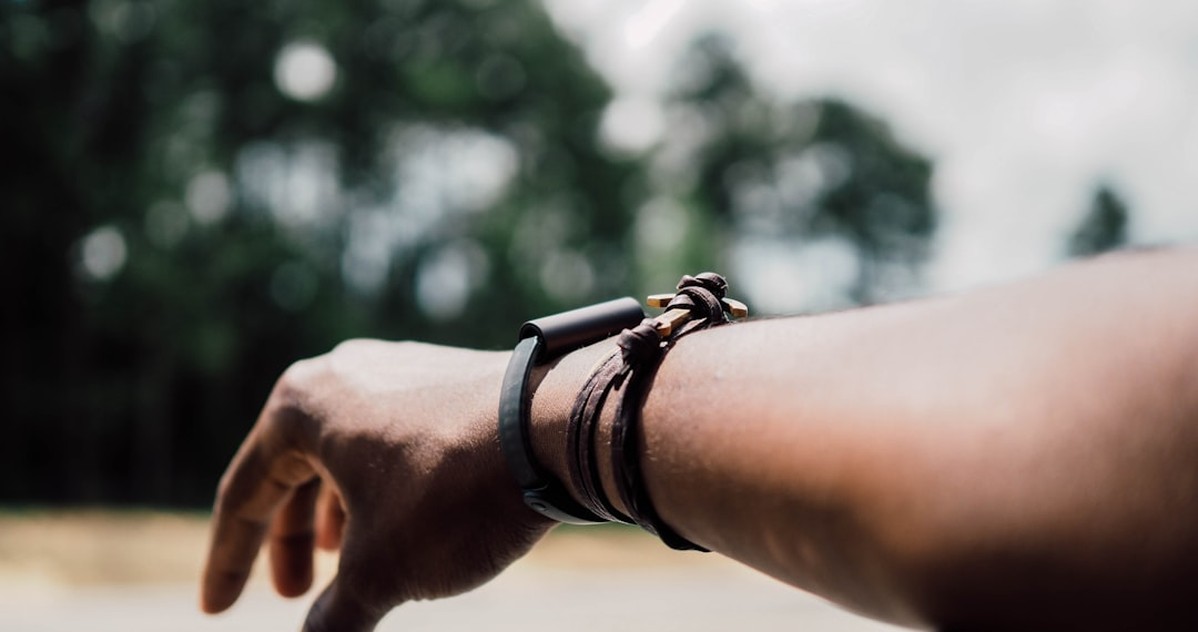
What wearables add beyond a phone
A wearable adds steady, passive data collection, which is why it usually works better for frequent travel. It can keep measuring while your phone is in your pocket, on airplane mode, or charging across the room.
For high-performers, that matters because the point is not just sleep tracking. The point is using recovery score, heart rate trends, and sleep stages to decide whether to push hard, take it easier, or shift bedtime after landing.
Why does passive tracking help on trips?
Passive tracking helps because travel days are messy. You move through airports, taxis, meetings, and strange rooms, and a wearable keeps working without asking you to do much.
That matters if your schedule has no room for manual setup. If you need zero friction, the wearable is usually stronger.
Which wearable signals matter most?
The most useful signals for travelers are heart rate, heart rate variability, sleep duration, and wake interruptions. HRV, short for heart rate variability, is the beat-to-beat change in pulse timing, and it often gives a rough read on how recovered you are.
WHOOP, Oura, Apple, Fitbit, and Garmin all present these signals differently. The brand matters less than whether the numbers help you make a next-day decision.
Are sleep stages really better on wearables?
Wearables often do a better job than apps at estimating sleep stages because they collect more body data during the night. Still, sleep stage estimates are not the same as a lab sleep study.
Use them as a trend, not a verdict. If a wearable says you had poor deep sleep after a red-eye, treat it as a clue, not a diagnosis.
What travel really does to sleep data
Travel changes sleep data because circadian rhythm, which is your body clock, gets pulled off schedule. When you cross time zones, your body may think it is midnight while your watch says breakfast time.
That mismatch can make both apps and wearables look wrong for a few days. The issue is not only the sensor. It is that travel fatigue, bright airport light, late meals, alcohol, and odd hotel temperatures all blur the signal.
The National Sleep Foundation and Sleep Foundation both stress the basics here: light timing, wake-time consistency, and sleep hygiene matter a lot. The tool cannot fix a broken routine.
Why do hotel nights look worse?
Hotel nights look worse because the bed, pillow, noise, room temperature, and air quality change at once. Your body has to adapt before the tracker can make sense of the night.
That is why the same person may get a lower score in Los Angeles than at home in Austin, even if the sleep felt similar.
How does jet lag confuse the data?
Jet lag confuses the data by shifting when you fall asleep and when you wake up. A wearable may mark that as short sleep or poor recovery, even if your body is simply adjusting.
Use the data to support your plan, not to panic about one night. If you landed late and slept in chunks, the score is often showing travel disruption, not a long-term sleep problem.
Jet lag changes the meaning of every sleep score, especially on the first one or two nights after arrival. If you fly from New York to London, for example, your body may wake early, fall asleep in chunks, and show worse sleep stages even when the night is normal for the new local time. That is why travel recovery should be judged across several nights, not a single morning. Wearables are often better here because they can connect heart rate variability, sleep duration, and wake-ups into a broader pattern, while a sleep app may only show a broken snapshot.
For frequent travelers, the useful question is not whether one night looked bad, but whether the trend is improving as your schedule stabilizes.
How apps and wearables differ on accuracy
Apps and wearables can both be useful, but they fail in different ways. An app usually depends on the phone's placement and ambient input, while a wearable depends on sensor quality, fit, and how well the algorithm handles motion and travel noise.
The most accurate sleep tracker is not always the one with the best headline claim. It is the one that stays consistent for your actual life, including flights, hotel stays, and irregular training.
This is where a lot of buying advice misses the mark. A wearable can look better on paper, but if you hate wearing it, accuracy drops because you stop using it or wear it too loosely.
Does fit change the result?
Fit changes the result a lot. A loose ring or watch can miss clean pulse data, while a well-placed device usually improves continuity.
That matters most for sleep stages and HRV trends. If the device moves at night, the numbers get noisier.
Which one handles movement better?
Wearables handle movement better because they are built to stay with your body. Apps can still work if your phone stays in the same spot, but travel often breaks that setup.
Choose the wearable if you care about steadier tracking. Choose the app if you only need light awareness and want to avoid wearing anything.
Real cost: subscriptions, devices, and hidden fees
The real cost of sleep tracking includes more than the sticker price. A free app can still push premium plans, while a wearable can add replacement bands, charger loss, battery wear, or subscription fees that keep showing up month after month.
A simple app often lands at $0 to $10 per month. Popular wearables often start around $200 to $400, and some services add $5 to $15 per month for the full feature set.
If you are a frequent traveler, compare the annual total, not the checkout price. A $0 app that gets ignored is more expensive than a $300 wearable that changes how you recover on the road.
What costs get missed most often?
The most missed costs are subscriptions, spare chargers, replacement bands, and upgrades after one or two years. People also forget the hidden cost of buying a device they stop using.
That is especially true for travelers who already carry a watch, laptop, phone, and charger stack. One more thing in the bag has a real cost.
When does the wearable pay for itself?
A wearable pays for itself when the data changes one real decision per week, such as a training load, a bedtime, or a flight recovery plan. If it never changes your behavior, it is just an expensive graph.
Use that test before buying. If the answer is no, stick with an app.
Total cost matters more than the sticker price. A free sleep app can be the cheapest option at the start, but premium insights, cloud backups, or upgraded analytics can quietly add up over a year. A wearable device, by contrast, usually means a higher upfront purchase, possible subscription fees, replacement bands, and eventual battery wear or charger replacement. If you travel often, that difference matters because the better tool is the one you will actually use in every hotel and on every red-eye flight.
A $0 app that sits unused after three trips is more expensive in practice than a $300 wearable that helps you manage consistency and next-day recovery on the road.
Privacy and data risk for business travelers
Privacy matters more for business travelers because sleep data can reveal travel patterns, stress, location habits, and daily routines. That sounds harmless until you think about executives, consultants, or anyone handling client work under tight confidentiality.
Some sleep services process data in the cloud, where third-party tools, analytics vendors, or ad partners may see pieces of it. If you care about privacy, read how the company handles retention, sharing, and deletion before you connect your data.
HIPAA does not automatically protect consumer sleep apps. CCPA matters more for California users, and FTC Endorsement Guides matter when brands make health claims that sound stronger than they are.
Who can see my sleep data?
Who can see your sleep data depends on the service terms. In some cases, the company, its cloud providers, and analytics partners may process it.
If that makes you uneasy, pick the option with the simplest policy and the shortest data path. Less sharing is usually better for sensitive travel schedules.
What privacy terms should i check?
Check whether the company sells data, shares it with advertisers, stores it indefinitely, or lets you delete it fully. Also check whether the app requires access to microphone, location, or contacts.
If you are a consultant or executive, this is not a small detail. It is part of the buying decision.
How to choose without overthinking it
Start with three questions. First, do you travel enough for jet lag to matter at least a few times a month? Second, will you actually wear or open the tool on a rough travel day? Third, does the data change what you do the next morning?
If the answer to the first two is yes, a wearable is usually the better fit. If the answer is no, an app is enough.
A practical way to decide is to match the tool to your pain point. If your pain is cost, use an app. If your pain is inconsistent data, use a wearable. If your pain is privacy, choose the simplest tool with the least sharing.
What if both seem too much?
If both seem like too much, do not buy anything yet. Fix the basics first: light exposure, wake time, caffeine cutoffs, and travel sleep habits.
That is the edge case nobody likes to mention. Sometimes the right answer is no tracker at all, because the problem is behavior, not data.
If you want one tool for every trip, pick a wearable with a simple app and a clear return policy. That gives you the best chance of learning from real trips instead of guessing.
Use it for 30 days across at least two travel nights before deciding whether it deserves a permanent place in your bag.
What people miss about sleep tracking
The biggest miss is thinking more data always means better sleep. More often, better sleep comes from fewer decisions and a routine that survives travel.
The other thing many guides skip is that the best tool can still fail if you wear it wrong or ignore privacy. A wearable is only useful if you keep it charged and worn. An app is only useful if the phone stays in a stable place and you trust the data path.
Good tools get abandoned because they ask for effort during the exact moment you have the least energy. After a long flight, even opening an app can feel like work.
That is why the best travel tool is often the one with the lowest friction, not the longest feature list.
When should you ignore the score?
You should ignore the score when travel itself is the obvious cause of the bad night. A red-eye, a new time zone, and a late dinner can explain a poor result without pointing to a sleep disorder.
Use the score as a compass. Do not treat it like a verdict.
Frequently asked questions
Is a sleep app accurate enough for travel?
Yes, for light travel and simple awareness, a sleep app is often accurate enough. If you only travel a few times a year, the cost is usually low and setup is fast. If you cross time zones often, a wearable usually gives steadier results.
Do wearables track sleep stages well?
They track sleep stages reasonably well for trends, but they do not replace a lab study. Use them for pattern changes across 2 to 4 weeks, not for diagnosing a one-night problem.
Is a non-wearable sleep tracker better for
Sometimes, yes. A simpler non-wearable sleep tracker can reduce body data collection, but privacy still depends on the app's cloud storage and sharing policy. Read the deletion and sharing rules before you trust it.
Can i use a sleep tracker if i change time zones
Yes, but a wearable is usually the better fit if you change time zones that often. It handles passive tracking better when your schedule changes, and it usually gives more useful recovery signals after flights.
What is the cheapest good option?
The cheapest good option is usually a free or low-cost app if you only want basic sleep awareness. If you need steady travel data, the cheaper option over time may be a wearable that you actually use.
What should an executive avoid?
An executive should avoid any tool with vague privacy terms, heavy ad tracking, or weak data deletion rules. If the service is hard to trust, the sleep score is not worth the exposure.
Do not use either option as a medical tool if you suspect insomnia, sleep apnea, or another condition that needs clinical care. Do not buy a tracker just to collect data if you do not travel often, only want a basic reference, or already know your sleep issue needs a doctor, not consumer tracking.
Which one should you choose?
If you are a frequent traveler and want the best mix of consistency, recovery insight, and jet lag support, choose a wearable. If you travel less, want lower cost, and only need a simple sleep picture, choose a sleep app.
My honest take is that the wearable is the better default for high-performers on the road, but only if you will wear it and trust the privacy terms. If you will not, the app is the smarter buy because a used tool beats an ignored one every time.
For executives and consultants, the wearable usually gives the most value. For digital nomads on a tighter budget, the app often wins first. For athletes, the wearable is the clear favorite.
If none of these fits, skip tracking for now and fix the basics first. That is still a smart decision.
Which wearable is best for sleep tracking?
The best one is the device you will wear every night and keep charged. WHOOP, Oura, Apple, Fitbit, and Garmin each work well for different users, but the best choice depends on whether you want recovery, training, or everyday convenience.