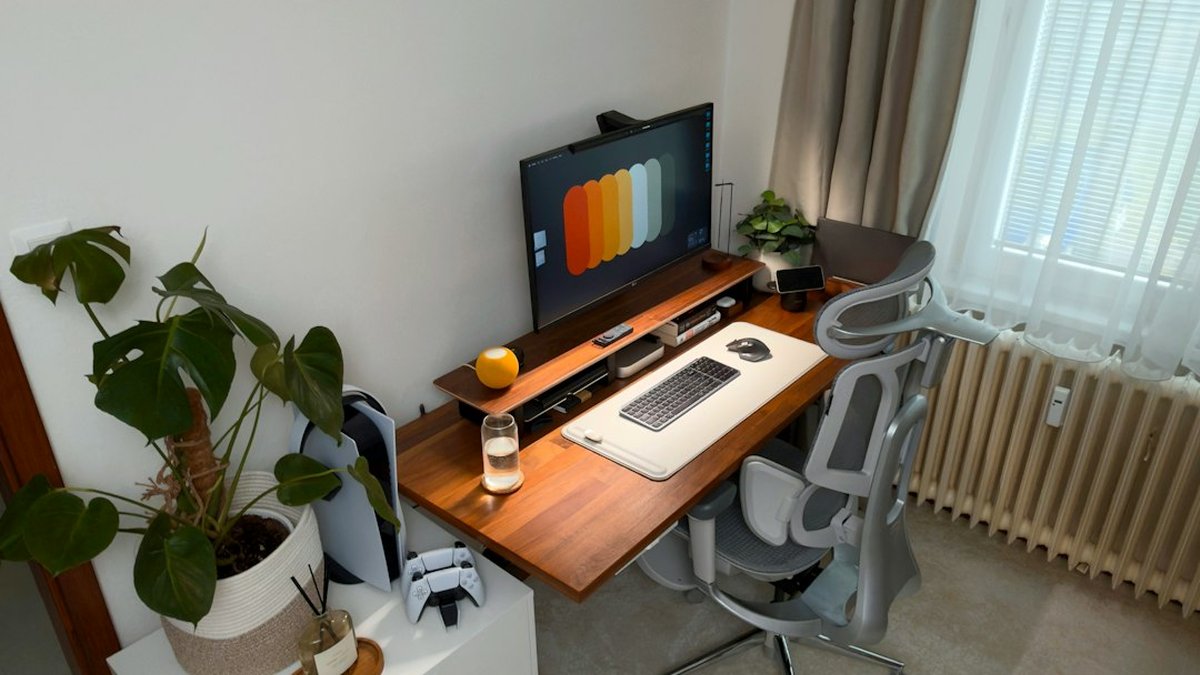
Are cluttered corners and tiny desk surfaces undermining focus and grades? For students in compact dorm rooms, a minimalist desk setup is the fastest way to reclaim study clarity and daily efficiency. This guide provides actionable layouts, renter-friendly installations, precise measurements, and budget-tested product options tailored to minimalist student desk setups for small dorm rooms.
Key takeaways: what to know in 60 seconds
- Choose the right footprint: a 24×20 in (60×50 cm) surface works for laptop-first setups; 30×20 in (76×50 cm) is the minimum for a dual-monitor or extensive paper-based study system.
- Prioritize ergonomics: laptop risers or monitor stands keep screen height correct without large desks—save depth, keep height.
- Use vertical space: wall shelves, pegboards and slim floating organizers add storage without expanding the desk footprint.
- Renter-friendly fixes: adhesive mounts, tension rods, and over-the-desk shelving provide stability without drilling or violations of residence rules.
- Budget map: compact dorm desks typically cost $40–$300 depending on materials and modular features; a clear list of picks by price is included.
Minimalist dorm desk setup for beginners: simple rules and priorities
The beginner should focus on three constraints: surface area, usable depth, and permitted modifications. Minimalist student desk setups for small dorm rooms work best when those constraints are honored.
- Start with a single-purpose zone: a desk dedicated to study, not a multipurpose dining/work surface.
- Limit visible items to essentials: laptop, lamp, notetaking tools. A minimalist setup reduces decision fatigue and cognitive load.
- Choose neutral colors and thin-profile furniture to visually enlarge the area.
Step 1: measure and plan before buying
- Measure available wall length and depth clearance (include chair and leg space). Typical dorm desk alcoves range from 24 in deep to 48 in wide; document exact numbers.
- Sketch three layout variants scaled to the measured width: 60×30 cm, 80×40 cm, and 120×40 cm table tops (metric and imperial conversions provided in the step-by-step section).
- Verify dorm rules for wall mounting and cable routing. When in doubt, choose non-invasive or temporary fixtures.
Step 2: set ergonomic targets for any compact desk
- Eye level should sit about 2–3 inches below the top of the screen when seated.
- Keyboard at elbow height; adjust with a compact chair or a laptop riser plus external keyboard.
- Use a laptop stand or monitor arm to prevent slouching. Refer to guidance from Harvard Health on posture and screen height.
Each step-by-step assumes renter constraints (no drilling) and a study-first minimalist approach.
- Choose a slim table top or wall shelf rated for 25–30 lbs.
- Add a low-profile laptop stand and a compact wireless keyboard and mouse.
- Attach a clamp LED lamp to the shelf edge for focused lighting.
- Use a vertical magnetic strip or small pegboard above the desk for pens and notes.
Time estimate: 30–60 minutes. Cost estimate: $40–$90.
Standard compact: 30×20 in (76×50 cm), student hybrid
- Place desk against wall; position chair centered to maximize legroom.
- Add a monitor riser or a 13–15 in laptop riser to allow a single external monitor if needed.
- Install an adhesive cable channel under the desk and a power strip with surge protection secured to the desk underside.
- Use a slim drawer caddy or an under-desk basket for stationery and chargers.
Time estimate: 1–2 hours. Cost estimate: $80–$180.
Expanded compact: 48×20 in (120×50 cm), multi-use with papers
- Reserve 60% of the surface for laptop/monitor and 40% for paper working space.
- Fit a thin monitor arm to the desk edge using clamp mounting (no drilling).
- Use stackable vertical trays to free desk surface and keep frequently used references in reach.
Time estimate: 2–3 hours. Cost estimate: $120–$300.
Minimalist desk organization for study productivity: systems that stick
Organization is behavior design: the simpler the system, the more likely it is to be maintained. Minimalist student desk setups for small dorm rooms benefit from three organizational pillars.
- Contain: designate 1–2 containers for daily items and one for weekly items; fewer containers reduce decision paralysis.
- Surface hierarchy: keep the center clear for the primary task, place tools to the dominant hand side, and put reference materials on a vertical shelf.
- Cable discipline: use short cables, label both ends, and anchor power strips under the tabletop.
Proven storage solutions for tiny desks
- Slim desktop caddy (pen, calculator, sticky notes)
- Under-desk mesh shelf for power strips and external drives
- Wall-mounted magazine holder for notebooks and folders
- Magnetic strip for metallic items and small tools
Refer to electrical safety guidance from the National Fire Protection Association when consolidating power sources.
Best compact desks for tiny dorm rooms: comparison and selection guide
Below is a compact, practical comparison of desk types and recommended use-cases. Each row alternates background for readability.
| Model or type |
Typical dimensions (in) |
Price range (USD) |
Best for |
| Wall-mounted fold-down desk |
24–36 × 16–20 |
$50–$200 |
Maximizing floor space; occasional study |
| Clamp-mounted floating top |
30–48 × 18–22 |
$80–$250 |
Renter-friendly, clean aesthetic |
| Small writing desk (IKEA MICKE style) |
41 × 20 |
$60–$150 |
Daily use, simple storage drawers |
| Corner desk / L-shaped compact |
48 × 24 (one side) |
$120–$300 |
Paper + digital workflows that need space |
- Selection tip: choose the narrowest depth that still allows a comfortable keyboard posture. Depth (front-to-back) is the most valuable measurement in small rooms.
Minimal desk setup checklist
✅
Measure available space(width, depth, clearance)
⚡
Secure power safely(surge protector + under-desk anchor)
🎯
Set one focal task(study, review, or projects kept separate)
📏
Use vertical storage(shelves, pegboards, magazine holders)
How much do compact dorm desks cost: realistic price bands and what to expect
Compact dorm desks fall into three clear price bands with predictable durability and features.
- Low budget ($40–$100): Basic wood or laminate tops, minimal assembly, limited warranty. Best for short-term use or minimalists who replace frequently.
- Mid-range ($100–$200): Better materials, improved load capacity, clamp accessory compatibility, often drawer solutions.
- Premium compact ($200–$400): Solid build, modular add-ons, adjustable height options, longer warranties.
When budgeting, include costs for: a small monitor or laptop riser ($20–$60), clamp lamp ($15–$40), cable management ($5–$25), and ergonomic chair upgrades ($40–$150).
Renter-friendly installations and cable management without drilling
- Use heavy-duty 3M Command strips rated for the intended load to hang lightweight shelves and organizers.
- Tension-mounted shelves can create a vertical storage column without wall anchors.
- Clamp-mounted accessories (lamps, monitor arms) secure to many desk edges and avoid permanent fixtures.
- Bundle and shorten cables with Velcro ties; anchor power strips under the desk with adhesive-backed brackets.
Follow manufacturer load ratings and dormitory policies to avoid damage or safety hazards.
Advantages, risks and common mistakes
Benefits / when to apply ✅
- Increased focus and reduced visual clutter.
- Faster setup and teardown for students who move frequently.
- Cost-effective productivity improvements with targeted accessories.
Mistakes to avoid / risks ⚠️
- Choosing a desk too shallow for required equipment (causes poor posture).
- Ignoring power safety when using multiple adapters and extension cords.
- Overloading adhesive fixtures beyond their rated weight.
- Sacrificing ventilation for laptops by placing devices directly on closed surfaces.
Frequently asked questions
What is the smallest desk size suitable for studying?
A 24×20 in (60×50 cm) surface can work for laptop-first study but may limit paper spread and peripheral use. Ergonomics and individual workflow determine real needs.
How to set up a desk without drilling holes in dorm rooms?
Use clamp-mounted shelves and accessories, adhesive-rated hooks, tension rods, and over-the-door organizers; verify weight ratings and residence rules before installation.
Which compact desk is best for dual monitors in a tiny room?
A 48×20 in (120×50 cm) narrow desk with a clamp-mounted monitor arm is the most space-efficient option for two small monitors; choose a sturdy edge for clamping.
How to manage cables on a tiny desk?
Shorten cables, use adhesive cable channels under the desk, mount a power strip under the tabletop, and label cords for quick identification.
Are standing desks viable in small dorm rooms?
Yes—compact electric or manual sit-stand converters that sit on the tabletop can be used without increasing floor footprint; ensure the desk can support the added weight.
How often should the desk layout be re-evaluated?
Re-evaluate at the start of each semester and after major project periods to ensure the setup matches current workload and tools.
Can minimalist setups improve study productivity?
Yes. Reducing visual distractions and standardizing where items live cuts time spent searching and makes transitions between tasks faster.
Your next step: three actions to implement today
- Measure the intended desk area (width, depth, clearance) and choose one of the three footprint plans above.
- Acquire a laptop riser or monitor stand plus a clamp lamp to immediately improve ergonomics and lighting.
- Implement one vertical storage solution (shelf, pegboard, or magazine holder) to free desk surface and create a daily landing zone for essentials.
