ductory pain point:
Is it difficult to turn intentions into daily actions despite using a smartwatch? Many users enable step counters, set reminders and then abandon routines within weeks. This guide focuses exclusively on Habit Tracking with Smartwatches & Wearables and delivers device-specific, evidence-informed steps to convert a wearable into a reliable habit coach.
Key immediate solution:
This guide explains how to set up habits on major wearables, choose the best apps, configure reminders and automations, measure adherence, protect data and adapt for beginners. The content is practical, device-specific and ready to use with templates and tactical recommendations.
Key takeaways: what to know in 1 minute
- Smartwatches are habit scaffolds, not magic: wearables boost adherence by providing timed prompts, passive data and frictionless logging.
- Set micro-habits with contextual triggers: 3–5 minute actions and location/time triggers increase success rates.
- Use device-specific flows: Step-by-step Apple Watch habit setup and Simple guide to Fitbit habit tracking cut setup time and avoid common errors.
- Measure adherence, not perfection: focus on consistency metrics (streaks, weekly completion rate) rather than perfect daily scores.
- Prioritize privacy and battery: configure local-only logging or minimal cloud sync to reduce data exposure and tune notification styles to save battery.
Smartwatches reduce friction by offering always-on prompts, haptic feedback, and sensor-based context. Randomized controlled trials and observational studies show wearables increase short-term engagement with health behaviors when reminders are timed to context and combined with immediate logging. For habit formation, the key mechanisms are cue, action, immediate feedback and reward—wearables provide the cue and feedback without interrupting workflow. Sources: NIH PMC review on wearables, Harvard Health.
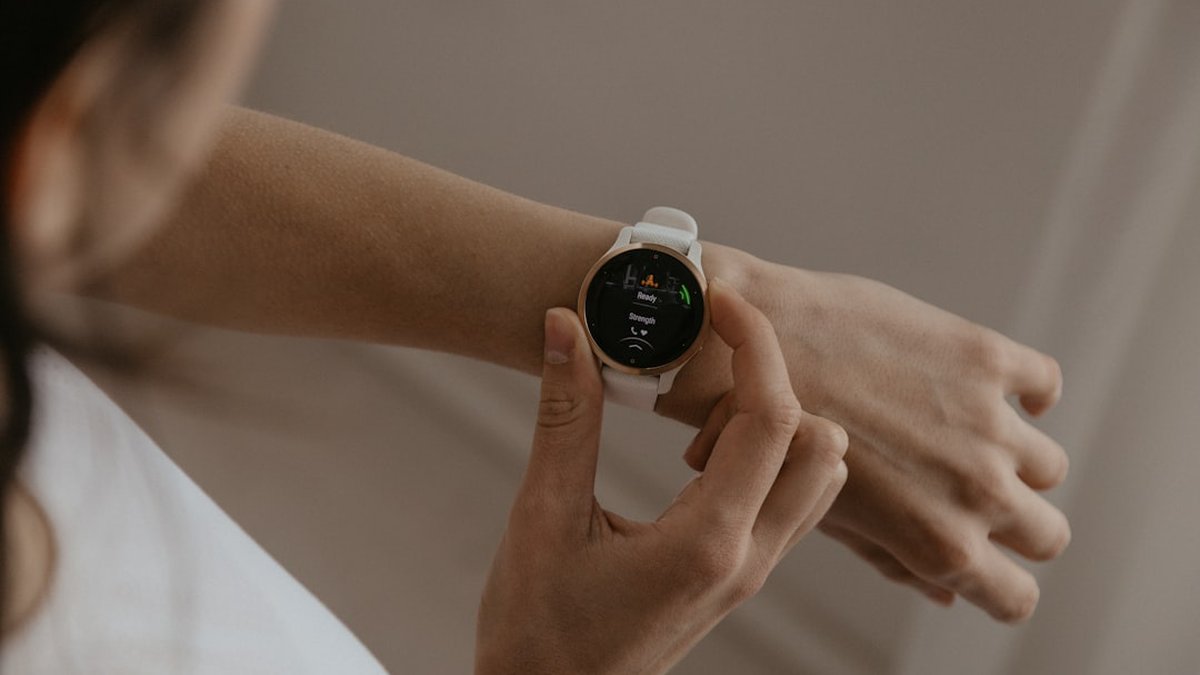
Step-by-step Apple Watch habit setup
This section is a practical blueprint to configure Apple Watch as a habit tracker with native tools and recommended third-party apps.
Choose the habit and micro-goal
Define a single micro-habit that fits 3–7 days of practice. Examples: drink 8 oz of water after a bathroom break, stand and stretch 2 minutes after 60 minutes of sitting, do 5 minutes of focused breathing at 3 PM.
Use Reminders, Shortcuts and Health
- Create a scheduled reminder on the iPhone Reminders app and enable notifications on the Apple Watch. This is the quickest fallback.
- Use Shortcuts to create a habit logging shortcut that writes a timestamp to a simple note or a spreadsheet in iCloud Drive after the action completes. Example: build a Shortcut that triggers on watch face button or Siri phrase.
- Link Shortcuts to the Health app for habits that involve measurable metrics (water intake, mindfulness minutes, stand minutes). Reference: Apple Watch support.
Install a dedicated habit app with watch complications
Recommended apps: Habitify, Streaks, Productive. Choose one that offers a watch complication and sidecar notifications. Configure: set habit frequency, choose a short reminder label, enable haptic only if privacy or battery matters.
Design notification logic
- Use short vibration for private cues and sound + vibration for urgent cues. Avoid too many alerts per day; clustering reduces alarm fatigue.
- Prefer time-based reminders for morning/evening habits and activity-based triggers (e.g., after a workout) for context-sensitive cues.
Automations (Shortcuts + NFC)
- Use Shortcuts automations tied to Apple Watch complications or NFC tags placed near a water bottle or desk. Automations can log completion and fire a celebratory haptic pattern.
Track adherence and iterate weekly
- Export weekly logs from the habit app or create a Shortcut that compiles the week and sends an email summary. Measure completion rate, average delay (time between cue and completion), and streak length.
Simple guide to Fitbit habit tracking
Fitbit devices favor low-power continuous sensing and long battery life, which supports passive cues and gentle reminders. This section shows the quickest path from setup to measurable results.
Install and prepare the Fitbit app
- Create a Fitbit account and pair the tracker. Enable notifications and Health Metric syncing to the Fitbit app.
- Use the Fitbit Today and Notifications tiles to surface habit reminders.
Use Fitbit Premium habit programs or third-party apps
- Fitbit Premium often includes guided programs for hydration, sleep and activity. These programs integrate automatically with Fitbit reminders and daily summaries.
- For custom habits, install a watch-friendly habit tracker like HabitCoach or third-party apps that support Fitbit API syncing.
- Use the quick log feature for one-tap completion on the watch screen.
- Set vibration-only reminders for daytime habits and silent alarms for early-morning routines to preserve sleep.
Leverage passive sensors for context
- Use step count or heart-rate thresholds to trigger habit prompts: e.g., prompt a walking break after 50 minutes of low steps.
- Combine sleep-wake detection to avoid prompting during sleep windows.
Exporting and measuring adherence
- Use Fitbit data export or third-party connectors (e.g., IFTTT) to push completion events to Google Sheets for longitudinal analysis.
Best Wear OS apps for habit tracking
Wear OS devices vary by manufacturer but share Android integration and flexible app ecosystems. Recommended apps prioritize complications, offline logging and battery efficiency.
Top picks and strengths
- Loop Habit Tracker (Android companion): open-source, simple logging, good for privacy-conscious users.
- Habit Hub: strong widget/complication support and customizable reminders.
- Done: timeline-focused and supports variable habit frequencies.
App selection criteria
- Complication availability (must show on watch face)
- Local logging vs forced cloud sync
- Battery impact (low-frequency refresh and vibration optimization)
Installation and setup best practices
- Install the companion phone app first, create the habit with a short name, and add a watch complication for instant logging. Use vibration-only reminders to avoid noise pollution.
Adaptive habit tracking for beginners
Adaptive tracking is the process of starting extremely small and scaling difficulty based on performance. This is the most reliable path to long-term change for novices.
Start with one habit and the two-minute rule
Begin with one 2–5 minute action and set a watch reminder timed to an existing daily cue (e.g., after morning coffee). Short success builds confidence.
Use progressive difficulty
If weekly completion ≥ 80%, increase duration by 25–50%. If completion ≤ 50%, reduce frequency or shift timing.
Built-in adaptation using wearable data
- Use step, heart rate and sleep data to adapt reminders: postpone high-effort habits on low-sleep days and reduce frequency during high-stress windows.
- Some apps offer adaptive schedules that quiet notifications when stress metrics are high.
Accessibility and older adults
- Increase vibration intensity, enlarge complication text, and enable wrist gestures or voice logging to improve usability for older adults or users with motor limitations.
Compare Apple Watch vs Fitbit habit tracking
This comparison highlights practical differences relevant to habit builders rather than vendor marketing claims. The goal is to choose the device that best supports the intended habit workflow.
| Feature |
Apple Watch |
Fitbit |
| Notification richness |
High: haptics, sound, rich cards |
Moderate: haptics-first, simpler UI |
| Battery life |
1–2 days (more with low-power modes) |
4–10 days (depending on model) |
| Third-party habit apps |
Large ecosystem (Shortcuts integrations) |
Growing ecosystem (strong premium programs) |
| Passive sensor availability |
Extensive (HR, SpO2, motion, NFC) |
Good (HR, accelerometer, some models: SpO2) |
| Best for |
Users who want deep automations and rich feedback |
Users who prioritize battery and simple passive reminders |
Practical decision rule
- Choose Apple Watch for complex automations, Shortcuts and deep app integrations.
- Choose Fitbit for long battery life, passive sensing and simple habit nudges.
Practical metrics: what to measure and why
Focus on three operational KPIs that correlate with habit formation:
- Completion rate (percentage of scheduled prompts completed in a week).
- Response lag (average minutes between prompt and completion).
- Streak stability (number of weeks with ≥ 3 completions/week).
Use simple exports or the habit app's analytics to track these. Target: ≥ 70% weekly completion for initial habit consolidation.
Practical example: how it works in real life
📊 Case data:
- Target habit: 2-minute desk stretch after 60 minutes of sitting
- Device: Apple Watch Series 9
- Prompting method: Watch reminder + Shortcuts logging
🧮 Calculation/process:
- Week 1: 7 prompts/day * 7 days = 49 prompts. Completed: 28. Completion rate = 57%.
- Week 2: Reduced prompts to work hours only (5/day * 5 days = 25). Completed: 20. Completion rate = 80%.
✅ Result: Adaptive reduction in volume improved adherence from 57% to 80% and increased average response timeliness by 4 minutes.
Infographic process flow (textual)
🟦 Wake routine → 🟧 First cue: water + watch reminder → 🟩 Log with complication → 🔁 End-of-day summary → ✅ Weekly adaptation
Device-choice comparison
Device choice at a glance
Apple Watch
- 🎯 Best for automations
- 🔔 Rich alerts
- ⚡ 1–2 day battery
Fitbit
- 🔋 Long battery life
- 🛌 Passive sleep-aware nudges
- ✅ Simple one-tap logging
Advantages, risks and common errors
✅ Benefits / when to use habit tracking with wearables
- Highly effective for cue-dependent micro-habits (hydration, standing, brief mindfulness).
- Useful when immediate feedback (vibration, heart-rate change) reinforces action.
- Beneficial when habit success depends on timing and context.
⚠️ Errors to avoid / risks
- Creating too many daily prompts leads to alarm fatigue and abandonment.
- Over-reliance on cloud sync may expose sensitive behavior data to unnecessary services.
- Using high-frequency sensors and constant logging without battery planning reduces device availability.
How to avoid these errors
- Limit to 1–3 core habits at a time. Use weekly adaptation rather than daily scaling. Prefer local logging or minimal authorized cloud services. Schedule quiet hours and tune reminder intensity.
Automation templates and quick-start recipes
- Apple Watch: Shortcut that logs timestamp to an iCloud CSV and triggers a haptic celebration. Trigger: watch face complication press.
- Fitbit: Use IFTTT to post completion to Google Sheets; configure only work-hours triggers.
- Wear OS: Configure Tasker profiles to detect low-motion and prompt a walking break via companion app.
Links to connectors and templates: IFTTT, Apple Shortcuts, Tasker.
Data privacy and syncing: practical checklist
- Prefer local-only logging where possible.
- If using cloud, review export and delete capabilities every 3 months.
- Use unique app passwords and two-factor authentication for accounts with health data.
- If sharing with third-party coaches, use anonymized exports and consented sharing only.
References for data best practices: FTC, NIH on wearable privacy.
Longitudinal testing and case studies to evaluate effectiveness
Run a 6-week n=1 test: pick one habit, measure weekly completion, response lag and fatigue. Log battery drain from reminders and sensor use. Compare two configurations (simple reminders vs. adaptive sensor-driven prompts). Use the results to pick the most sustainable configuration for the next 12 weeks.
Integration with broader productivity systems
Connect habit completion exports to task managers (Todoist, Notion) only for weekly reviews. Avoid duplicating daily prompts across devices; choose a single source of truth for cues.
Frequently asked questions
How accurate are smartwatches for habit tracking?
Accuracy depends on the metric. Motion-based completions (steps, standing) are highly reliable; subjective actions (meditation completion, water intake) require manual confirmation. Use simple one-tap logs to ensure accuracy.
Can habit tracking run offline on smartwatches?
Yes. Many apps store data locally and sync when the phone is nearby. Prioritize apps that explicitly offer local-only modes for privacy and reliability.
Which device is better for long-term habit building?
Fitbit often excels for long battery life and passive cues, while Apple Watch provides richer automations and app options. Choice depends on priorities: battery and simplicity vs. automation and integrations.
How often should reminders trigger per habit?
Start with one reminder timed to an existing routine per day. For complex habits, use up to 2 reminders but reduce frequency if completion falls below 50%.
Are there evidence-backed templates for habit timing?
Yes. Behavioral research supports habit stacking (linking a new habit to an existing routine) and tiny habits (start extremely small). See BJ Fogg and related behavior science literature: Behavior Model.
Can wearables detect habit completion automatically?
Some habits can be inferred from sensors (e.g., a walk detected via step surge). Others require manual confirmation. Use sensor inference only as a secondary signal to avoid false positives.
How to keep battery life acceptable while tracking habits?
Reduce screen wake, favor haptic-only alerts, avoid continuous GPS and limit sensor polling frequency in the app settings.
How to export habit data for long-term review?
Use app export features or connectors like IFTTT and Shortcuts to push daily logs to Google Sheets or iCloud CSV. Regularly archive and back up.
Your next step:
- Choose one micro-habit and set it on the wearable using a single daily reminder.
- Configure local logging (Shortcut/IFTTT) to collect completion timestamps each day.
- Review weekly: adjust timing, reduce prompts if fatigue appears, and set a target of ≥70% weekly completion.
