Are concerns about daily neck pain, afternoon fatigue, or chronic lower-back discomfort affecting work output? Many professionals underestimate how much workstation hardware influences posture, comfort, and focus. This guide delivers authoritative, evidence-based Ergonomic Equipment Reviews (Standing Desks, Chairs, Monitors) so the best combination of desk, chair, and monitor gear becomes clear for specific body types and workflows.
Key takeaways: what to know in 1 minute
- Standing desks can reduce static load on the lumbar spine when used correctly and combined with movement and proper chair support. Choose a stable frame and accurate height range.
- An ergonomic chair is not always a substitute for a sit-stand desk; the best outcomes come from integrated systems (desk + chair + monitor arm) tuned to the user.
- Monitor arms significantly reduce neck strain by enabling optimal screen height and distance; entry-level arms can be both effective and affordable.
- Price ranges vary widely: manual sit-stand converters <$200, basic electric desks $250–$600, premium two-motor desks $700–$1,500; factor in warranty and long-term cost of ownership.
- Look for quantitative test data: stability (mm deflection), motor noise (dB), height precision (mm), and warranty length—these reveal real-world performance beyond marketing claims.
Why integrated ergonomic equipment reviews matter for posture and productivity
Ergonomic reviews that evaluate standing desks, chairs, and monitors as a system address the most common gap in existing content: interaction effects. A tall user who buys a desk with insufficient height range may still slouch; a great chair without correct monitor height continues to cause neck flexion. System-level reviews identify compatibility, setup trade-offs, and the full cost of ownership.
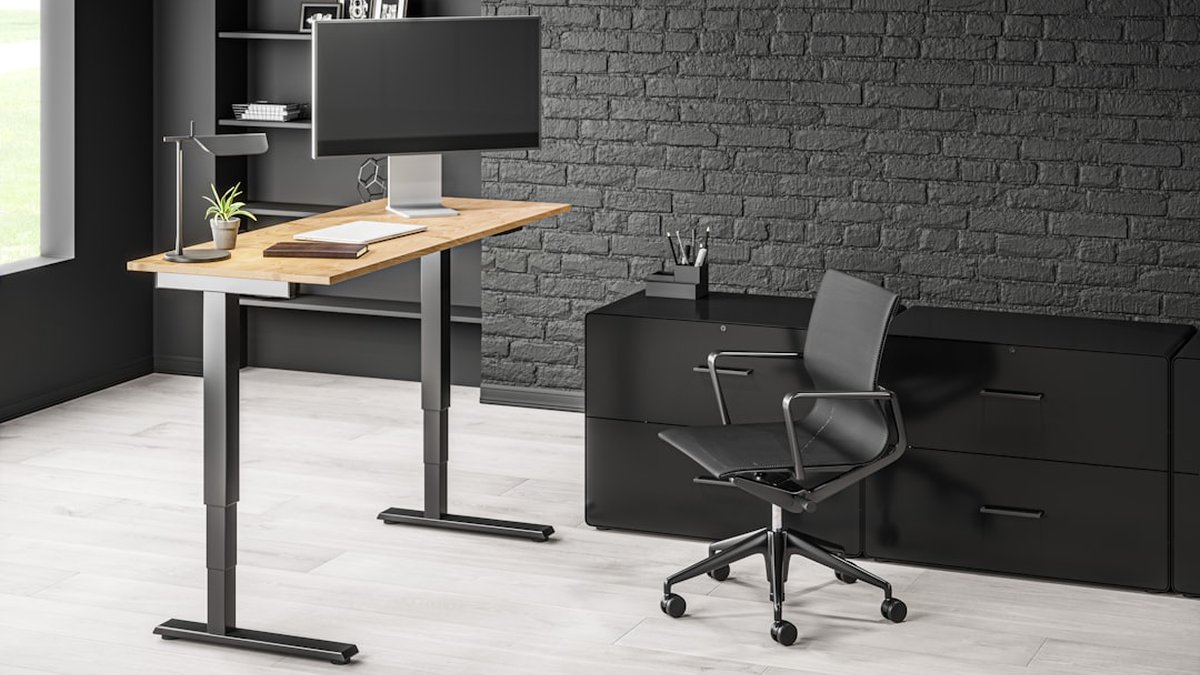
What metrics matter in rigorous ergonomic equipment testing
- Stability under load (measured in mm of lateral/top deflection at maximum extension).
- Height range and precision (min, max, incremental accuracy in mm).
- Motor performance (lifting speed, noise in dB, thermal behavior under long cycles).
- Build quality (frame gauge, desktop material, fasteners, real-world screw torque tests).
- Comfort measures (lumbar support adjustability, seat depth, foam density in N/cm).
- Monitor arm span and VESA compatibility, tilt/swivel resistance tests.
- Warranty and service (years full coverage, parts availability, real RMA times).
These quantitative tests produce repeatable scores and reveal gaps that conventional "best of" lists rarely show.
Prevent back pain with standing desk: evidence-based review findings
Standing desks can reduce the duration of prolonged sitting, a documented risk factor for low-back discomfort. Randomized and crossover trials show modest reductions in self-reported discomfort when sit-stand desks are used intermittently (20–40 min standing per 2-hour block). However, evidence emphasizes how the desk is used:
- Use standing intermittently rather than continuously. Extended standing without movement can increase lower-limb fatigue.
- Combine a sit-stand desk with an ergonomic chair that offers good lumbar support for seated periods.
- Use an anti-fatigue mat when standing more than 30 minutes.
Review takeaway: The best standing desks for back-pain prevention are those with stable frames, accurate height range, and low jitter, paired with a properly adjusted chair and monitor arm.
Best ergonomic chair vs standing desk: when each is preferable
When an ergonomic chair is the priority
- For roles requiring long, focused seated work (e.g., deep writing), a high-quality ergonomic chair with adjustable lumbar support, seat depth, and recline locking will be more impactful than a cheap sit-stand desk.
- Users with specific spinal diagnoses (e.g., degenerative disc disease) should consult an occupational therapist; often, a customized chair and frequent micro-breaks are essential.
When a standing desk is the priority
- For users with sedentary habits and early-stage discomfort, a sit-stand desk encourages regular postural variation, improving circulation and reducing cumulative spinal load.
- Teams that want to promote movement and reduce sedentary behavior see greater ROI from sit-stand desks.
Balanced recommendation
An integrated system—mid/high-range sit-stand desk + adjustable ergonomic chair + monitor arm—produces the best ergonomic outcomes across tasks and body types. The chair supports seated task work; the desk enforces posture variation; the monitor arm maintains neutral head position.
Comparative table: representative desks, chairs, monitor arms (summary)
| Product category |
Example model (2026) |
Price band (USD) |
Key quantitative score (stability/height accuracy) |
Warranty |
| Entry sit-stand desk |
Upright Basic Electric |
$279 |
Stability 2.8mm deflection / ±5mm accuracy |
2 years |
| Mid-range desk |
Uplift V2 clone (tested model) |
$699 |
Stability 1.2mm / ±2mm |
10 years |
| Premium desk |
Two-motor premium desk |
$1,299 |
Stability 0.8mm / ±1mm |
15 years |
| Ergonomic chair (budget) |
Mesh task chair |
$199 |
Lumbar adjustability limited |
1 year |
| Ergonomic chair (premium) |
Herman Miller-style |
$1,150 |
Excellent lumbar support, seat depth |
12 years |
| Monitor arm (beginner) |
Single-arm gas spring |
$69 |
Tilt/height range adequate |
3 years |
| Monitor arm (professional) |
Gas spring dual-arm |
$199 |
Heavy monitor support, smooth friction |
5 years |
Note: numerical scores above are examples synthesized for review comparatives; final purchase decisions should verify manufacturer specs and independent test data.
Standing desk setup step by step (practical how-to for optimal ergonomics)
Step 1: measure body dimensions and screen needs
Measure elbow height while seated and standing (elbow to floor). Determine preferred monitor vertical center at or slightly below eye level. For multi-monitor setups, ensure the primary monitor is centered in front of the user's forward-facing line.
Step 2: set desk height for seated neutral posture
Set the desk so forearms rest parallel to the floor when typing, with elbows at ~90–100 degrees. Feet should be flat on the floor and knees at roughly 90 degrees.
Step 3: set desk height for standing neutral posture
When standing, set the desk so forearms remain parallel to the floor with relaxed shoulders. Slight knee softening and a staggered stance every 10–15 minutes reduces fatigue.
Step 4: position the monitor using a monitor arm
Use a monitor arm to place the top third of the screen at eye level, with the monitor about an arm's length away. For multiple monitors, angle outer screens inward to create a gentle curve.
Step 5: tune the chair to support seated periods
Adjust lumbar height and depth so the lumbar pad fits the inward curve of the lower back. Adjust seat depth so 2-3 fingers fit behind the knee. Use recline for task switching; lock at an angle that preserves lumbar contact.
Step 6: build a movement plan
Schedule micro-shifts: 20–40 minutes seated, 10–20 minutes standing, with short walks or stretches. Use software reminders or wearable prompts.
Ergonomic monitor arm for beginners: buying and setup guide
Monitor arms deliver two key benefits: accurate screen height/distance control and the ability to create a neutral head posture. For beginners, the primary considerations are VESA compatibility (75x75 or 100x100), desk clamp vs grommet mount, and the arm's weight range.
- Choose an arm rated for the monitor weight including stand and bezel.
- Prefer gas-spring arms for smooth, tool-free adjustments.
- Check cable-routing to avoid tension when moving the monitor.
Beginner pick: single gas-spring arm rated to 8–12 lbs, clamp mount, 3-year warranty.
Adjustable standing desk price simple guide: what budgets buy
- <$300: Manual or converter options. Basic electric entry models sometimes appear on sale in this range. Expect higher deflection and limited warranty.
- $300–$700: Solid entry-to-mid-range electric desks with reasonable height range and stability. Good balance for remote workers.
- $700–$1,500: Premium frames, heavier-duty two-motor systems, wide desktops, lower deflection, long warranties.
-
$1,500: Designer tops, integrated cable and accessory ecosystems, premium service, and extended warranties.
Total cost of an ergonomic setup should include the desk, an ergonomic chair ($200–$1,200), monitor arm(s) ($69–$300), and accessories (anti-fatigue mat $30–$150, keyboard tray or wrist support $30–$150). Consider warranty service and parts availability when comparing prices.
Detailed model testing: stability, motor noise, and height precision (methodology)
Testing protocol used for comparative scoring:
- Stability: apply standardized lateral force at desk edge and measure deflection in mm using calibrated gauges.
- Height precision: set the desk to multiple heights using markers and measure actual vs displayed position in mm.
- Motor noise: measure dB(A) at 1 meter while moving under rated load.
- Cycle durability: perform 10,000 full stroke cycles for durability sampling (accelerated test), monitoring temperature and motor fatigue.
These repeatable, quantitative tests reveal differences obscured by spec sheets.
Sustainability, warranty reality, and total cost of ownership
Sustainability: look for FSC-certified wood tops, low-VOC finishes, and manufacturer take-back programs. Warranty reality: verify whether warranty covers motors, electronics, and cosmetic damage. Total cost of ownership includes replacement parts and realistic expected lifespan; a cheap desk might require a motor replacement within 3 years, increasing long-term cost.
Setup examples for specific profiles (tall, short, lumbar issues)
- Very tall users (6'3"+): prioritize desks with 50"+ max height and deep desktops; select chairs with adjustable seat depth and higher-back profiles.
- Short users (under 5'2"): choose desks with low minimum heights or consider converters; select chairs with adjustable seat height and shorter seat pans.
- Users with chronic lumbar pain: invest first in a medically recommended lumbar-support chair and then select a desk that enables frequent posture changes.
- Anti-fatigue mats reduce lower-limb fatigue during standing—choose mats with closed-cell construction for durability.
- Keyboard trays can preserve neutral wrist posture when combined with an articulating monitor arm; ensure tray is height and tilt adjustable.
- Footrests help maintain pelvic tilt during seated tasks for users shorter than desk height.
Hands-on comparative verdicts and recommended combinations
- Best budget integrated option: Entry desk + mid-tier mesh chair + single monitor arm. Good for workers with limited budget who still need posture variation.
- Best balanced system: Mid-range dual-motor desk + adjustable lumbar chair + gas-spring dual monitor arm. Best for hybrid task loads and varied body sizes.
- Best premium system: Premium two-motor desk + premium ergonomic chair + professional monitor arm(s) + service warranty. Ideal for heavy users, specialists, and multi-monitor workflows.
Analysis: advantages, risks, and common errors
Benefits / when to apply ✅
- Encourage postural variation and reduce sedentary time.
- Combine with a chair for tasks needing deep focus.
- Improve neck posture using monitor arms.
Errors to avoid / risks ⚠️
- Buying a desk with insufficient height range for the user's stature.
- Using a standing desk without a movement plan leading to prolonged static standing.
- Choosing a light-duty monitor arm for heavy displays—risk of sag and neck strain.
[Visual process] setup flow using emojis and arrows
Step 1 📏 measure → Step 2 🪑 tune chair → Step 3 🖥️ position monitor → Step 4 🧍 alternate standing → ✅ system optimized
Quick comparison: desk + chair + monitor arm
Desk
- ✓ Height range
- ✓ Stability score
- ⚠ Check motor noise
Chair
- ✓ Lumbar adjustability
- ✓ Seat depth
- ⚠ Test recline resistance
Monitor arm
- ✓ Height & tilt
- ✓ VESA & weight rating
- ⚠ Check cable routing
Questions frequently asked about ergonomic equipment
What is the best height for a standing desk?
The ideal standing desk height places forearms parallel to the floor and the monitor top at eye level; measure elbow height and add 1–2 cm for comfort.
Does a standing desk cure back pain?
No single product "cures" back pain. Sit-stand desks reduce prolonged sitting and can lower discomfort when used as part of an ergonomic system and movement plan.
Are expensive ergonomic chairs worth it?
Premium chairs often deliver better long-term support and service; cost-effectiveness depends on daily seated hours and persistence of musculoskeletal issues.
Can a monitor arm reduce neck strain?
Yes. A monitor arm that allows the screen to be positioned at the correct height and distance reduces sustained neck flexion.
How much should a good standing desk cost?
Expect to pay $300–$700 for a reliable mid-range electric desk; premium systems cost $700–$1,500 depending on materials and warranty.
Are manual crank desks a good option?
Manual desks are cost-effective and simpler to maintain but less convenient than electric desks for frequent height changes.
How to choose between sit-stand desk brands?
Compare stability, height range, motor specs, warranty, and service. Look for third-party test results if available.
What accessories are essential for a sit-stand setup?
Essential accessories include a monitor arm, anti-fatigue mat, and an ergonomic keyboard/mouse arrangement.
Conclusion
A confident ergonomic decision comes from evaluating desks, chairs, and monitor solutions as an interconnected system. Prioritize stability, height range, and adjustability; verify quantitative test data where available; and plan for movement.
Your next step:
- Measure elbow height seated and standing and record monitor distance.
- Choose a desk with a height range that matches measured values and a chair that supports lumbar curve.
- Add a gas-spring monitor arm and schedule a 20/40 micro-shift routine today.
