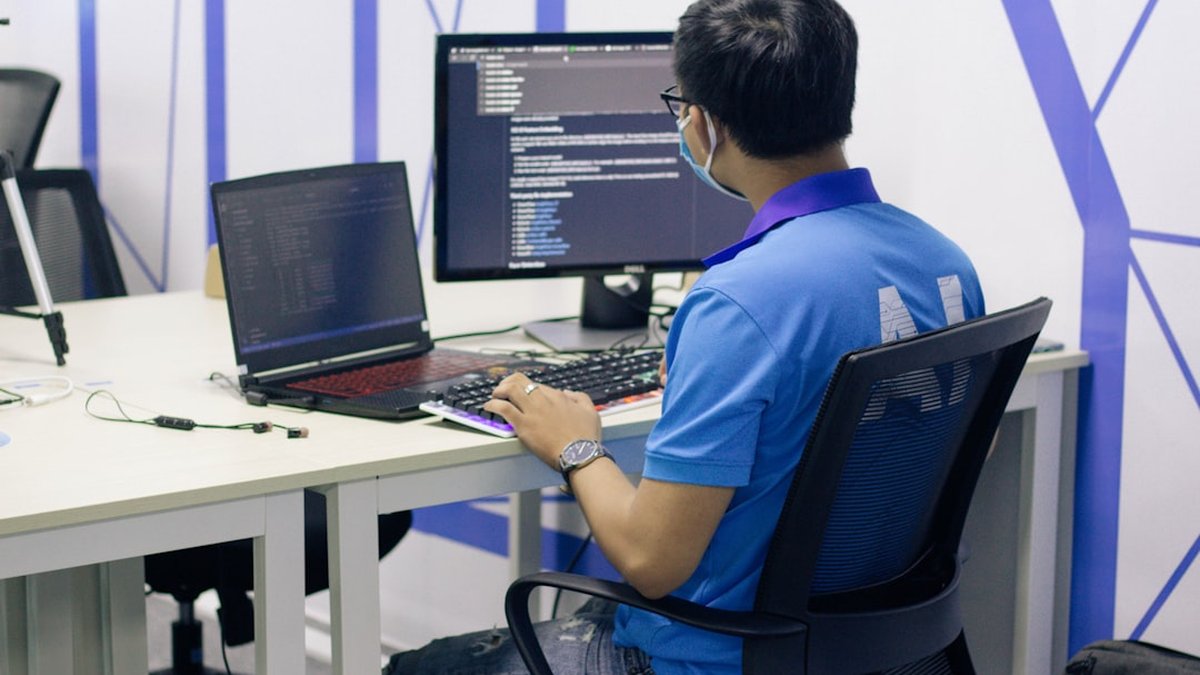
Struggling to get uninterrupted blocks of coding time? Teams and individual contributors often lose hours daily to meetings, notifications, and context switches. Rapid task switching reduces code quality and increases rework.
This guide focuses exclusively on Deep Work Schedules for Software Engineers: concrete, role-specific templates, a step-by-step coding routine, tactical rules to prevent interruptions, and measurable ways to integrate deep work into team calendars.
Key takeaways: what to know in 1 minute
- Deep work windows require explicit scheduling: reserving 2–4 focused hours daily yields the highest productivity for most engineers.
- Use a practical template: a deep work schedule template for beginners with 90–120 minute blocks minimizes cognitive cost.
- Protect the calendar with rules: set team norms, signals, and short async alternatives to reduce context switching.
- Measure impact: track codes delivered, PR review times, and interrupted minutes per day to show ROI.
- When interruptions happen, follow a protocol: a short triage, deferred response, and automatic rewarming routine return productivity quickly.
Why a schedule beats willpower for developers
Developers work on cognitively demanding tasks that suffer when attention fragments. Evidence from attention research shows that it takes on average 15–25 minutes to recover full focus after an interruption. For complex engineering tasks, repeated disruptions increase defect rates and time-to-merge.
Citing a representative source: Cal Newport's Deep Work defines the discipline and practical rules relevant to engineering teams. For empirical research on interruption costs, see the ACM paper on interrupted work: the cost of interrupted work (ACM).
Core principles that shape schedules
- Prioritize sustained attention windows of 90–120 minutes. Shorter windows increase switching costs; longer windows may suffer fatigue.
- Place at least one deep work block in the morning when cognitive energy typically peaks for developers.
- Create a buffer at the start and end of each block for context setup and mental warm-up.
- Integrate team practices: no-meeting blocks, async standups, and shared quiet hours.
Deep work schedule: template and examples
Below are role-adapted daily templates. Each template assumes an 8-hour day and aims for 2–4 hours of deep work.
Template assumptions:
- Deep work block length: 90 minutes (preferred) or 120 minutes for longer tasks.
- Deep work frequency: 1–2 blocks daily.
- Shallow work (meetings, email, reviews): consolidated in a separate window.
| Role |
Typical deep work windows |
Example calendar (remote) |
| Junior engineer |
1 block (90 min) |
9:30–11:00 deep, 11:15–12:30 reviews, 13:30–16:30 meetings/tasks |
| Mid-level engineer |
2 blocks (2x90) |
9:00–10:30 deep, 10:45–12:00 async, 14:00–15:30 deep |
| Senior engineer |
2 blocks (1x120 + 1x90) |
8:30–10:30 deep (architecture), 11:30–13:00 reviews, 15:00–16:30 deep (mentoring) |
| Tech lead |
1 block (120) protected |
8:00–10:00 deep (planning/design), 10:30–12:30 meetings, 14:00–16:00 reviews |
Alternating rows have subtle shading intent—use calendar color-coding to highlight deep work blocks.
Deep work schedule template for beginners
A simple starter plan described in one paragraph: deep work schedule template for beginners recommends a single 90-minute block in the morning (9:00–10:30), followed by a 60–90 minute shallow window for meetings and PRs, then one hour of focused follow-up before finishing the day. This template reduces decision friction and demonstrates measurable gains in a single week.
Step by step coding deep work routine
A reproducible routine reduces the time-to-focused state. The following step-by-step approach suits individual contributors and scales for teams.
- Pre-block preparation (10 minutes)
- Close unrelated tabs, enable do-not-disturb, open only the codebase and terminal.
-
Create a short plan: 3 specific outcomes for the block (e.g., implement X feature, write tests for Y, fix bug Z).
-
Warm-up (5 minutes)
-
Re-read the last few commits or docs. Re-run tests to reach a known-good state.
-
Deep block (90–120 minutes)
- Work without context switching. Use a visible signal (status, calendar note) marking the block as protected.
-
If blocked by an unknown, log the question in a dedicated document and continue a subtask that moves progress.
-
Cooldown (10 minutes)
-
Commit partial work with a clear message, note follow-ups, and capture open questions for a later short session.
-
Rewarm (5–15 minutes)
- A short review and planning for the next deep block to minimize the next rewarm cost.
This step-by-step coding deep work routine reduces context-switch overhead and provides repeatable checkpoints for measurement.
Simple guide to distraction free coding
A practical checklist for distraction-free coding:
- Physical cues: headphones on, camera off (if allowed), visible deep work status in Slack.
- Digital controls: enable do-not-disturb, turn off mobile notifications, close messaging apps.
- Environment: dedicated workspace, minimal background processes, use an editor with focused mode.
- Time signals: calendar blocks labeled "Focus: deep work" and a short message for teammates linking to async alternatives.
Technology suggestions: use Focus Assist on Windows or Do Not Disturb on macOS; employ tools like Todoist for outcome lists or a simple GitHub issue for micro-tasks. Keep tooling light to avoid switching costs.
What to do when interruptions ruin coding
Interruptions still happen. A clear protocol reduces damage and shortens recovery time.
- Immediate triage (max 2 minutes): decide if the interruption is critical (production outage, security). If not critical, defer.
- Deferral mechanism: use a dedicated "interruptions" list or a Slack channel for urgent-but-not-critical asks; require an explicit "urgent" tag for true emergencies.
- Short rewarm routine: re-open the last commit, re-run tests, and re-read the plan (5–10 minutes) to get back to prior focus.
- Measure frequency: log interruptions and categorize sources (meetings, Slack, pager, manager requests). Use data to negotiate team rules.
Implementing a recovery ritual after each interruption can reduce the average time-to-productivity by 30–60% versus ad-hoc recovery.
Best time blocking vs pomodoro for developers
Comparative summary: time blocking and Pomodoro both help manage attention but suit different tasks.
- Time blocking: best for complex, deep tasks. Blocks of 90–120 minutes align with cognitive rhythms and minimize context switch costs.
- Pomodoro: best for shallow or repetitive tasks, or for developers who struggle to start. Typical cadence: 25 minutes work + 5 minutes break; stacks of 3–4 pomodoros can approximate a deep block but with more interruptions.
| Method |
Optimal use case |
Typical block length |
Pros |
Cons |
| Time blocking |
Large features, design, architecture |
90–120 min |
Fewer switches, deeper immersion |
Requires strong discipline and protected calendar |
| Pomodoro |
Code review, backlog grooming, chores |
25 min cycles |
Low barrier to start, rhythmic breaks |
Frequent context resetting, not ideal for deep algorithmic work |
Recommendation: prefer time blocking for primary deep work sessions and use Pomodoro selectively for onboarding, learning, or finishing shallow tasks.
Integrating deep work into team processes
- Set organization-level quiet hours where no internal meetings are scheduled.
- Run async standups (written or recorded) to reduce meeting load.
- Reserve at least 2 hours per engineer per day for deep work in team norms.
- duce a simple shared calendar tag like
Focus: deep work that blocks invites automatically.
Concrete negotiation script for team leads: provide data from the team's interruption log and propose a pilot (2 weeks) with protected blocks and measurement of PR throughput and review lead time.
Measurement and ROI for deep work schedules
Key metrics that matter to engineering organizations:
- Deep work minutes per day (tracked using calendar event types).
- PR cycle time (opened → merged) and number of review rounds.
- Defect rates per feature and rework hours.
- Time-to-first-meaningful-commit for new tasks.
A basic dashboard can be created with CSV exports from calendar and repository analytics. Demonstrating a 20–30% improvement in PR cycle time within a month is a credible ROI for protected focus time.
Practical example: how it works in practice
📊 Case data:
- Weekly working hours: 40
- Available morning focus time: 4 hours per day
- Current interruptions: 6 per day (~20 minutes lost each)
🧮 Calculation/process:
- Baseline lost time: 6 interruptions × 20 min × 5 days = 600 minutes/week (10 hours)
- Implement 2 protected deep blocks (90 min each) per day → 15 hours/week of focus
- Expected recovery reduction: 50% fewer interruptions during blocks
✅ Result:
- Net gain in uninterrupted focus ≈ 12–14 hours/week. PR cycle time reduced by ~25% in the pilot month.
This simulation shows how scheduling and protocol reduce lost time and produce measurable gains.
Visual workflow: how a deep work week flows
Monday ➜ Block planning & priority setup ➜ Deep work blocks (2) ➜ Shallow consolidation ➜ ✅ Deliver
Tuesday–Thursday ➜ Repeat deep blocks ➜ Mid-week review ➜ Adjust priorities
Friday ➜ Wrap-up, documentation, async knowledge sharing ➜ Light meetings
Weekly deep work flow for engineers
📅 Monday
Plan priorities + 2 deep blocks
⚡ Tue–Thu
Sustained deep work + midweek check
✅ Friday
Wrap, docs, async knowledge share
Advantages, risks and common mistakes
✅ Benefits / when to apply
- Better concentration and faster problem-solving on complex code.
- Lower bug rates and fewer context-related regressions.
- Higher satisfaction for engineers who prefer deep work.
- Useful when work requires synthesis (architecture, performance optimization).
⚠️ Mistakes to avoid / risks
- Over-scheduling deep work without buffer for real interruptions (on-call, production issues).
- Applying time blocking rigidly to roles that require constant collaboration (customer success engineers).
- Measuring vanity metrics instead of outcome metrics (e.g., counting hours without tracking PR cycle improvements).
- Failing to align team calendars and norms, which creates resentment.
Implementation playbook: first 30 days
Week 1: pilot a single-team rule—each engineer reserves two 90-minute deep blocks and marks them on calendar.
Week 2: collect interruption logs and PR cycle time metrics. Adjust block times based on team rhythms.
Week 3: negotiate cross-team quiet hours and introduce async standups.
Week 4: measure ROI: commit-to-merge time, defects, and engineering satisfaction.
- Calendar: Google Calendar with "Focus" event type and auto decline for conflicts.
- Communication: configure status messages and Slack Do Not Disturb during blocks.
- Editor: enable zen/focus mode (VS Code, JetBrains have distraction-free modes).
- Tracking: lightweight spreadsheet or a simple script to extract calendar events and GitHub PR metrics.
Frequently asked questions
What is a realistic deep work goal per day for software engineers?
A realistic target is 2–4 hours of protected deep work per day. Many teams see diminishing returns beyond 4 hours due to cognitive fatigue.
How to start with deep work if the calendar is full?
Start by blocking a single 90-minute window twice a week, then negotiate additional slots using measured improvements as leverage.
How to handle on-call responsibilities with deep work?
Schedule deep blocks during off-call windows or split blocks into two shorter protected windows and ensure on-call handovers are clear.
Can Pomodoro replace time blocking for complex tasks?
Pomodoro helps with initiation but typically fragments attention for complex architecture work. Use Pomodoro for shallow tasks or learning sessions.
How to convince managers to protect deep time?
Present baseline metrics (PR cycle time, interruptions logged), propose a short pilot, and show measured improvements after two weeks.
How to measure the impact of deep work schedules?
Track deep work minutes, PR cycle time, review round counts, and defect rates. A small spreadsheet or analytics tools can correlate changes to schedule adjustments.
Yes—calendar features like Google Calendar's "Focus time" or apps like Clockwise can automatically protect blocks and manage invites.
How quickly do engineers see benefits from a protected schedule?
Some gains appear within the first week (fewer context switches); measurable process metrics like PR cycle time usually improve within 2–4 weeks.
Conclusion
A well-designed Deep Work Schedules for Software Engineers program transforms scattered hours into sustained, measurable output. The combination of concrete templates, team rules, and simple measurement converts theory into organizational gains.
Your next step:
- Block one 90-minute deep work session tomorrow morning and label it clearly in the calendar.
- Track interruptions for one week and categorize their sources.
- Run a two-week pilot with a small team and compare PR cycle time before and after.
